At the 2016 Higher Logic Super Forum, we will once again be using Expo Logic to print our badges. They have a great system where the attendees can scan a QR code or type in their names to print their badge for the conference. This is a huge time saver for us, not having to print badges ahead of time. And since it’s a color printer, we don’t have to have extra badge stock printed with our event logo that will go to waste.
More importantly, this year they are integrated with our platform. Instead of using a spreadsheet exported from our Event Manager, the badge data is coming directly from your profile in HUG. On this year’s Super Forum badge you will not only see your name, company, and location, but also a QR code and profile picture from HUG.
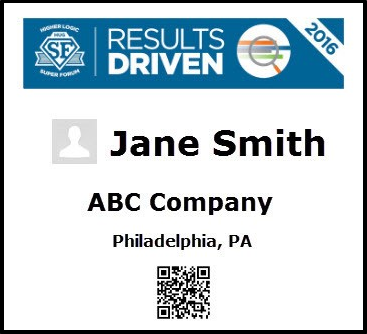
When the QR code is scanned in with the MemberCentric mobile app, it will create a Contact Request in HUG from the scanner to the scannee. This is a great way to encourage the use of a community, the mobile app, and to facilitate connections between attendees. The QR code will also be used by our sponsors for lead retrieval using Expo Logic’s LeadPod™ mobile app.
Aside from being pretty darn cool, having the photo on the badge allows you to know the person wearing the badge is actually that person. This can be very handy when doing testing to discourage tomfoolery. And if attendees know ahead of time that their pictures will be on their badges, it might encourage them to add them to their community profile. Yes, that is a hint to make sure you aren’t Mr. Nobody.
So please make sure to update your profile in HUG so the information printed on your badge is correct:
- Your Profile Picture;
- Your Name, which is your First Name or Informal Name with your Last Name;
- Your Company, which should be spelled out and not an acronym; and
- Your City & State from your address.
Get ready to have a great time at the Super Forum!